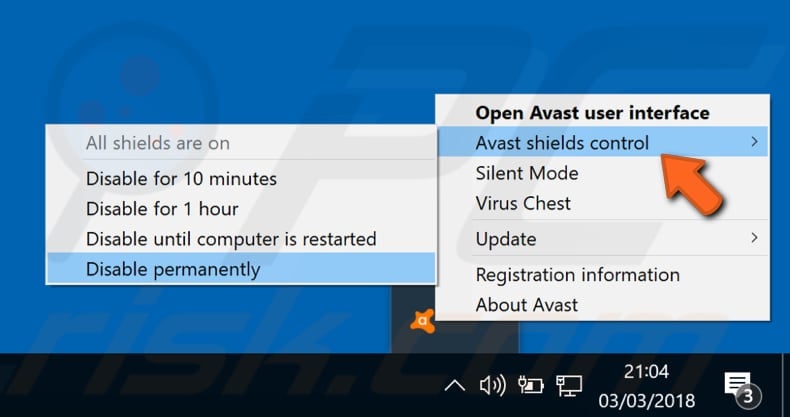
This is where people mess up. You install your thing. You close the window. You go grab a snack. You forget.
Your 10 minutes are up. But Avast doesn’t scream. It just quietly sits there, disabled, like a broken umbrella in a thunderstorm. You need to re-enable it.
Right-click the icon again. Go to “Avast Shields Control.” You’ll now see an option for “Enable all shields.” Click that. The icon will turn back to its normal orange color. You’ll feel a warm, safe glow inside.
If you picked “Until restart,” just restart your computer. It’s the laziest way to re-enable everything. Bonus: you get that fresh, rebooted feeling.
One Last Coffee-Chit Chat Rule
Don’t make this a habit. Seriously. You wouldn’t leave your front door open because you were bringing in groceries for 45 minutes. Okay, maybe you would. But don’t.
If you find yourself disabling Avast every week for a certain program, something is wrong. That program might actually be a virus. Or, you need to add an exception (a “whitelist”) to Avast’s settings. That’s an article for another coffee chat.
For now? Go ahead. Pause the guard. Install your thing. Then flip that shield back up like the responsible digital adult you are. You got this.

